MetaTrader 5 Set Up
Setting Up Your MetaTrader 5 Account
What Is MetaTrader 5?
MetaTrader 5 (MT5) is a free trading platform used by traders to buy and sell financial instruments like forex, stocks, commodities, and indices.
It provides real-time price charts, technical analysis tools, and the ability to place and manage trades.
MT5 works on both computers and mobile devices, making it easy to trade from anywhere.
In this article we will be setting up the app on your phone.
Step 1 - Download The App (Phone)

Go to the App Store (iPhone) or Google Play Store (Android)
Search For MetaTrader 5. You'll also see MetaTrader 4, but we prefer to use MetaTrader 5 as it's the upgraded version
Tap Download or Install
Open the app once it's finished installing.
Step 2 - Enter Your Trading Account Details
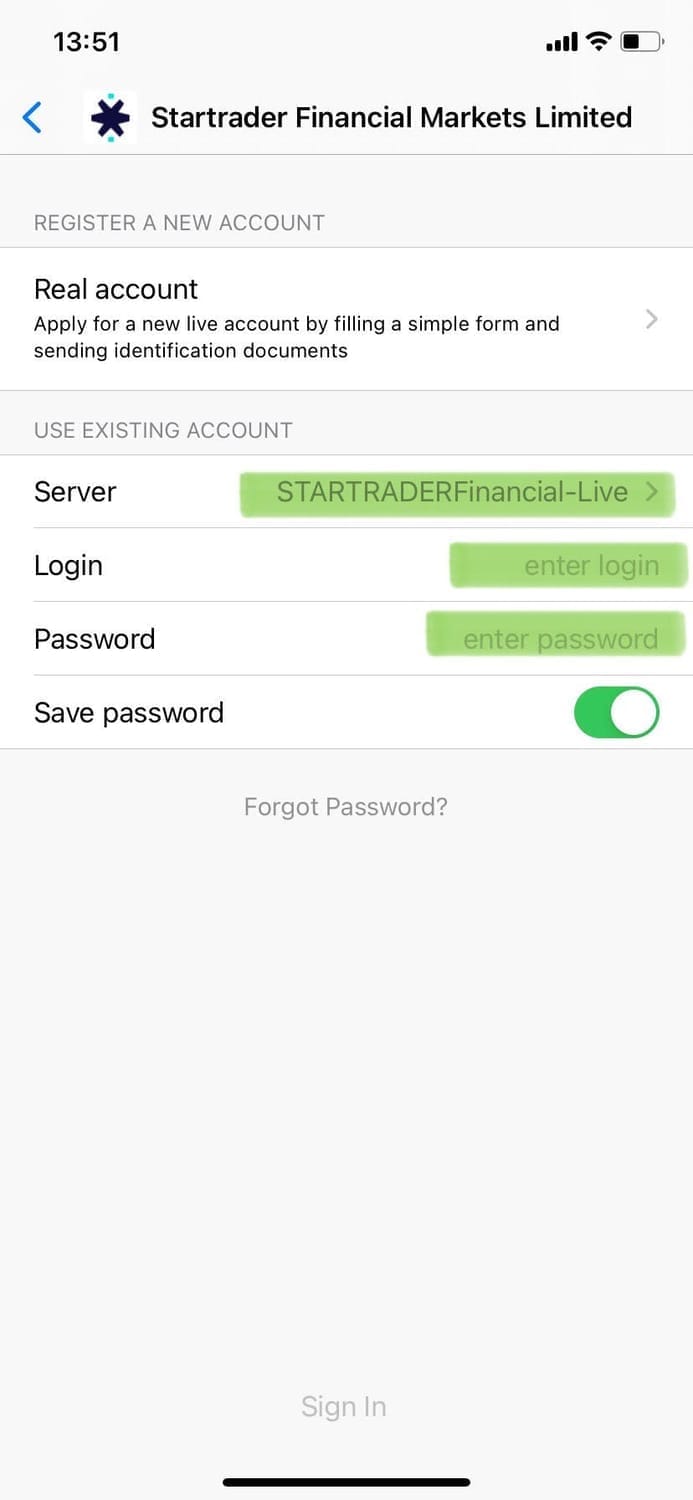
When the app opens, you'll see a screen asking to "Start without Registration" or "Login to an Existing Account".
As you have already created your star trade account, choose "Login to Existing Account".
Enter your account details that you have received via email from StarTrader.
Choose the correct server (Highlighted above)
Step 3 - Understanding The Main Menu
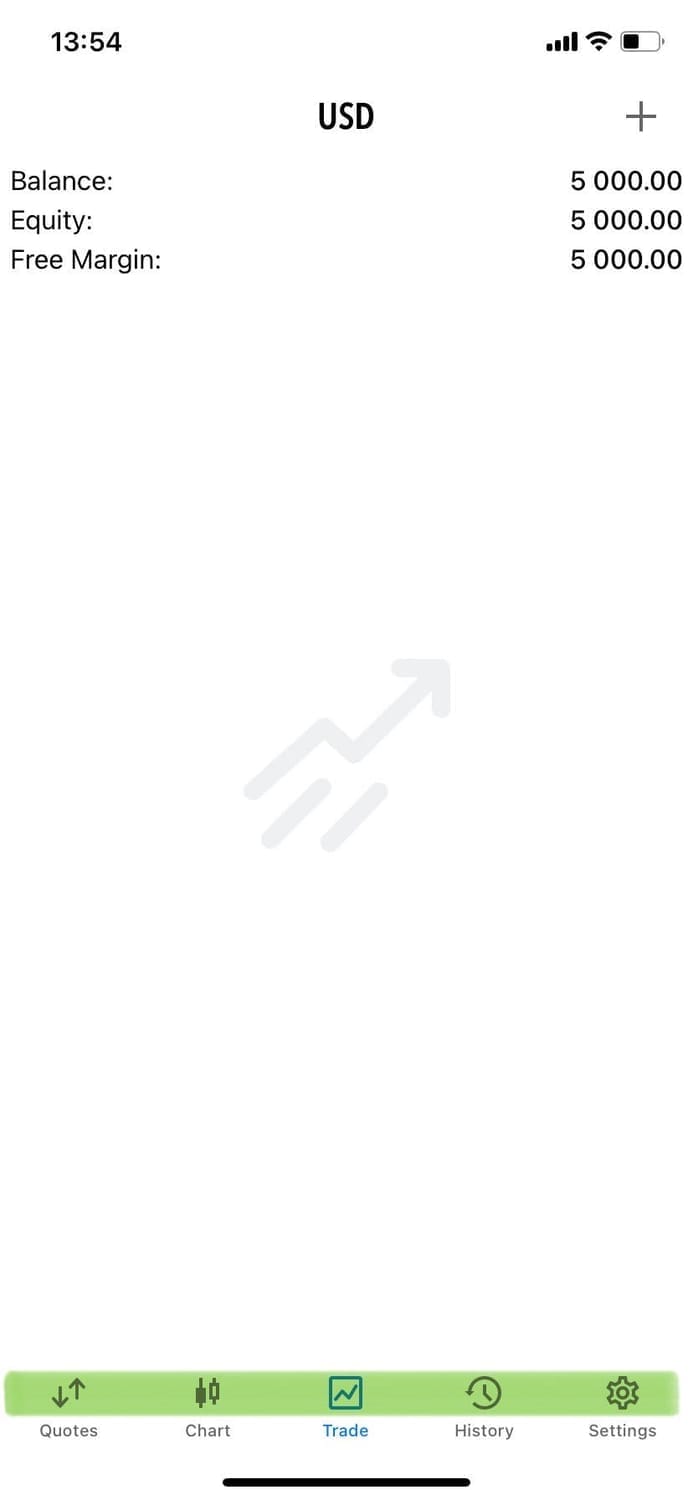
Once you've logged into your account at the bottom of the screen you'll see these tabs highlighted in green.
1. Quotes: A list of assets (like currencies or gold) and their current prices
2. Charts: Shows price movement of a selected asset over time.
3. Trade: Where you can see your open and past trades
4 History: Shows closed trades and account changes
5. Settings (under "more" on some phones): App settings, accounts, and notifications.
These are the main tools you'll use daily.
Step 4 - Add or Remove Symbols (Assets)
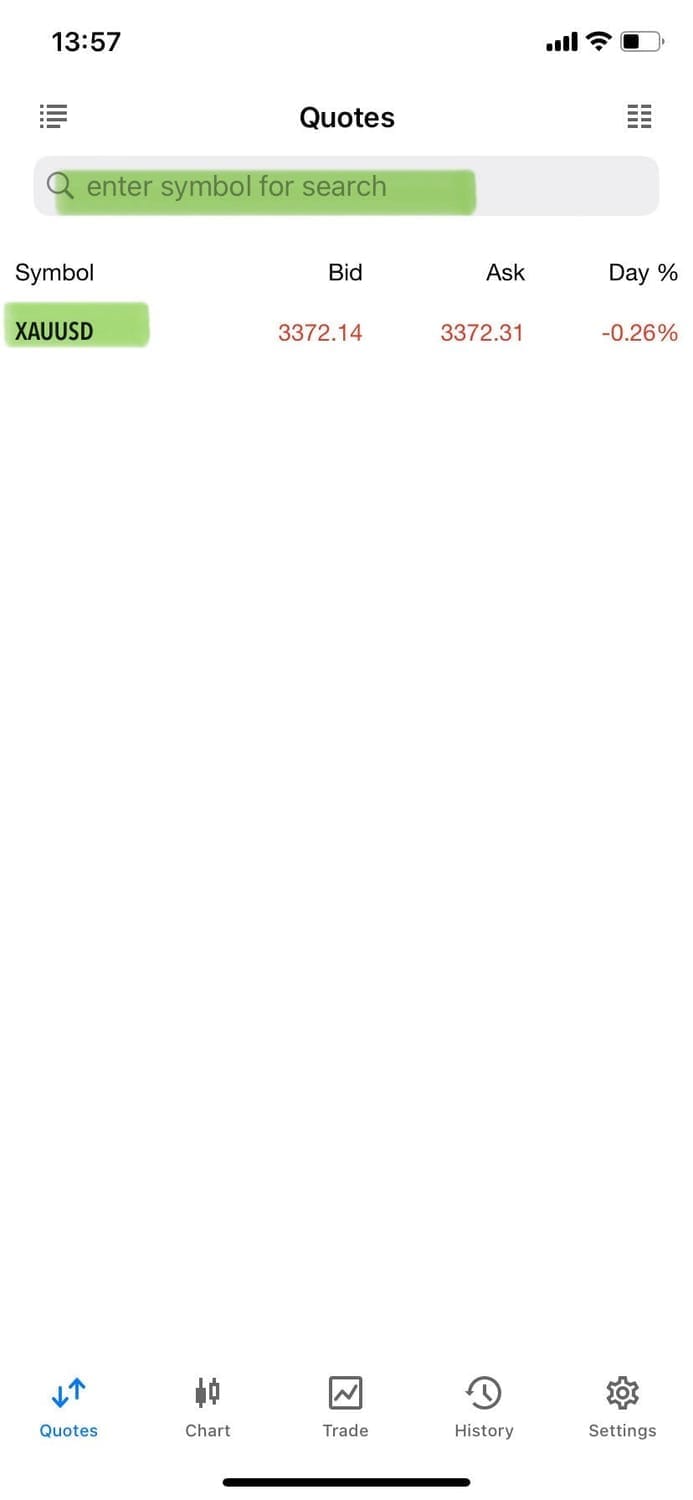
To control what shows in the Quotes list:
Tap the search for symbol box (top middle of Quotes screen)
Choose a category (Forex, Gold, Etc)
Tap an asset and add it with the blue tick (E.g. XAU/USD)
To remove one: Swipe the Asset to the right, for example AUDCAD , then press delete.
Try and keep your list clean with only the assets you need. The majority of the signals we provide are on Gold (XAU/USD)
*Even if your account is in EUR, GBP or any other currency, make sure to trade XAU/USD or Gold
Step 5 - Open a Chart
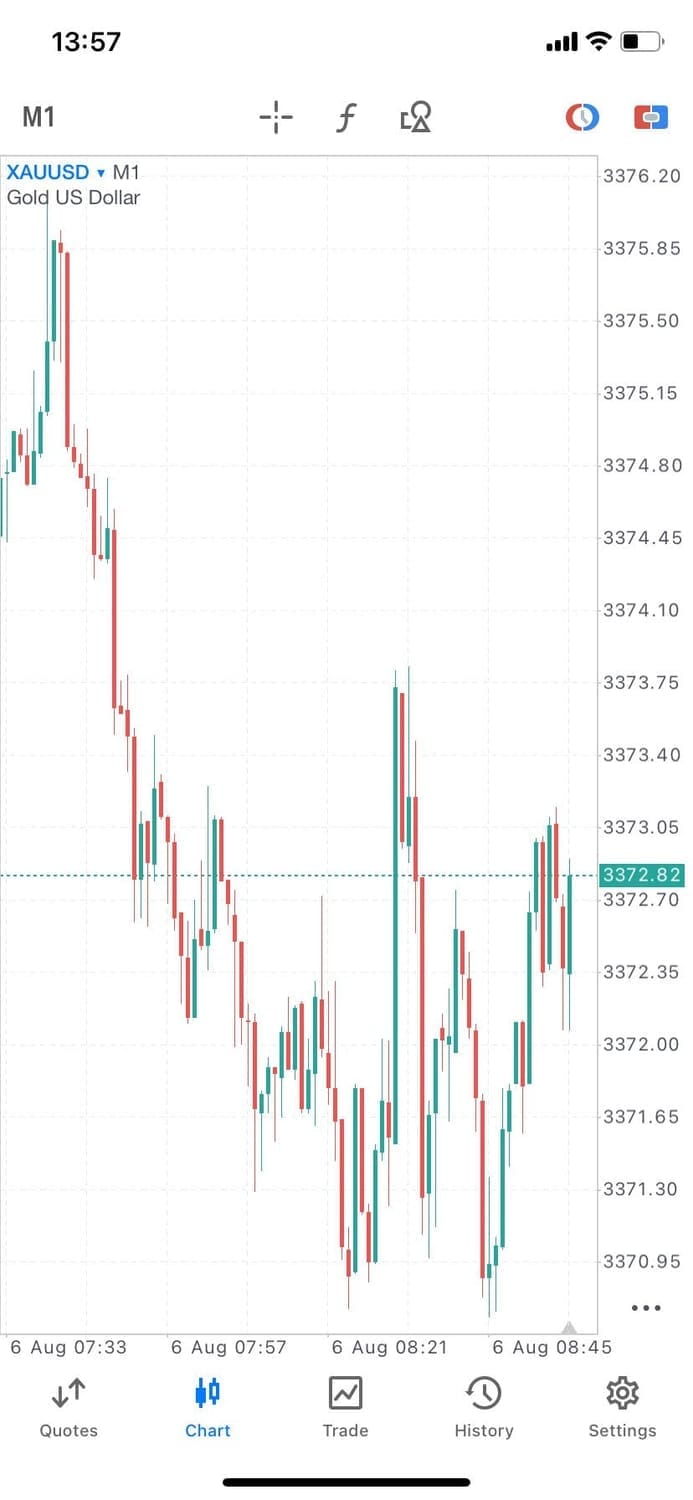
To see how an asset is moving:
In Quotes, tap any asset (E.g Gold)
Tap Chart.
You'll now be able to see a live price chart that updates in real time (Monday to Friday)
Step 6: Customize the Chart
Once you're viewing a chart, here's how to navigate it.
Pinch to zoom in or out.
Tap and hold to see past prices
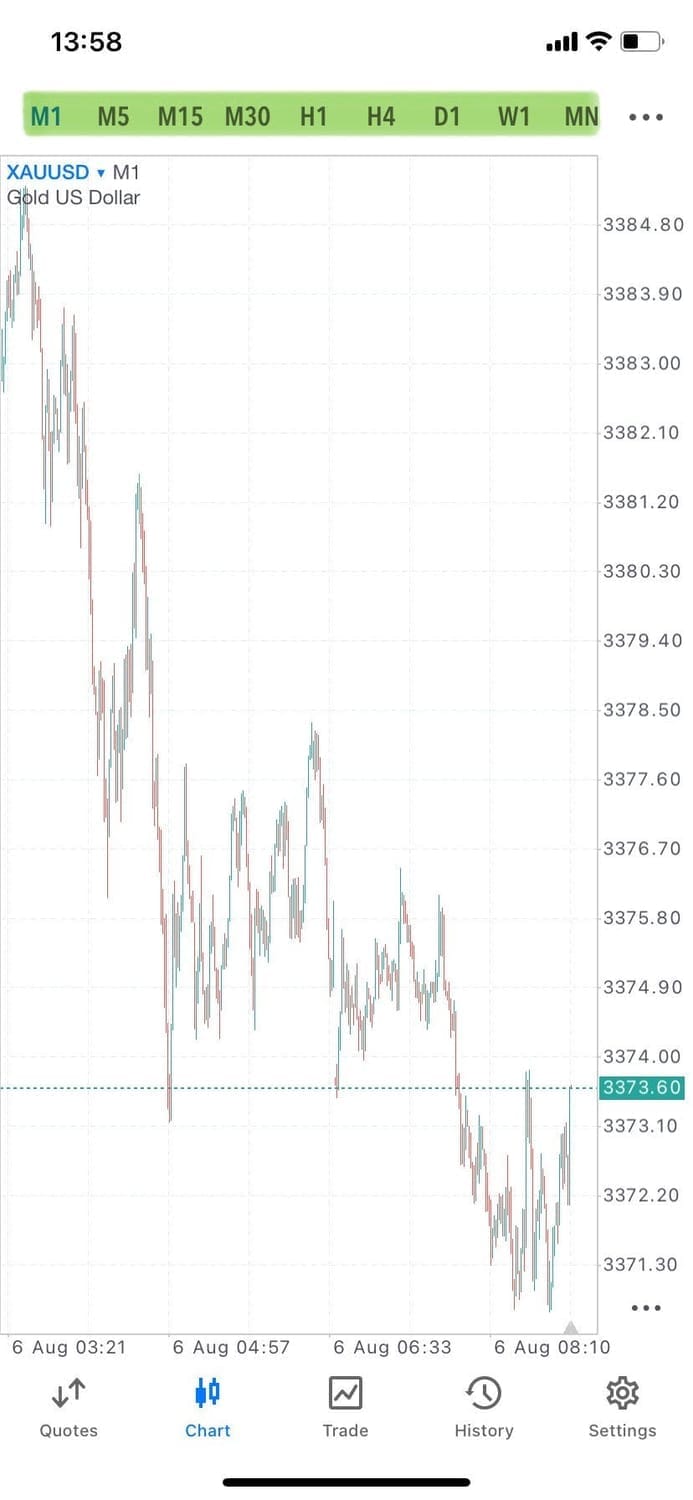
Use the icons at the top of in the Menu to:
Change the Timeframe (M1 = 1 Minute, H1 = 1 hour, D1 = 1 Day, etc)
Switch chart type (candlestick, bar or line)
This helps you analyze the market directly from your phone.
Now you've set up your MetaTrader 5 app and know your way around the next step is to learn how to place your first trade in the market. Click the button above.
If you have any questions feel free to reach out.
Created with ©systeme.io
Privacy policy | Terms of use | Cookies